


We audit a lot of Magento stores: stores moving to us from other agencies, stores about to upgrade, and stores whose owners say “it just feels slow”. The details differ, but the same problems come up again and again. None of them are exotic, and most go unnoticed for months because the storefront still loads.
Here are the seven we find most often, how to check for each one, and what fixing it involves.
1. Cron is not running the way everyone assumes
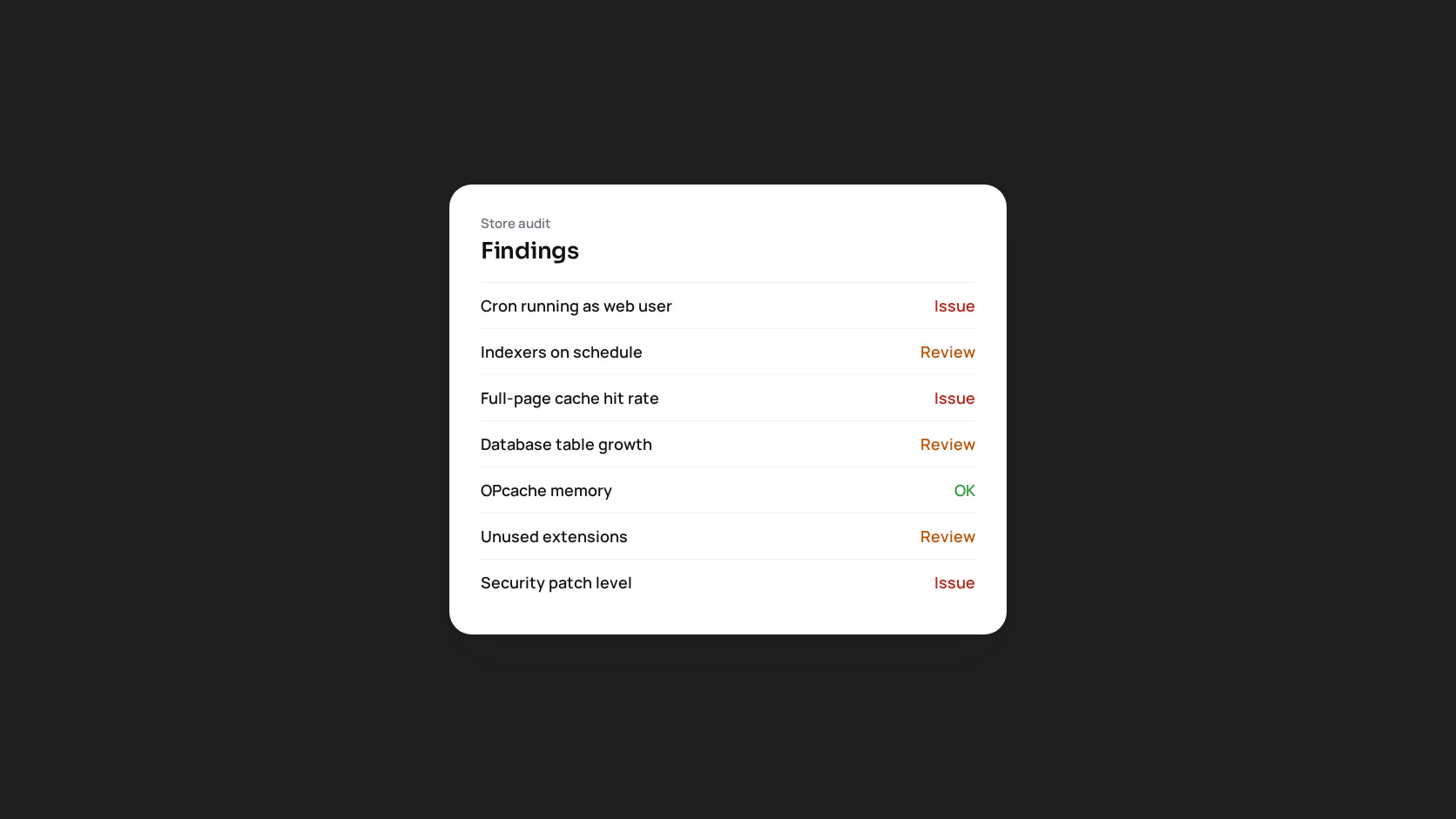
Magento depends on cron for indexing, order emails, sitemaps, currency rates, cleanup and much of what extensions do. We regularly find cron that is not running at all, running as root (which creates files the web server cannot write), or running but with a backlog of jobs hours overdue.
How to check: look at the cron_schedule table. If the newest executed_at is more than a few minutes old, cron is not running. Many rows in error or missed status point to a failing job. Then check whose crontab it is in: it should be the web server user, not root.
Typical symptom: “Customers say they never got their order confirmation.”
2. Indexers set to the wrong mode
On a small catalogue, “Update on Save” is fine. On a large one, every product save triggers a reindex inside the admin request, and imports slow to a crawl. The opposite also happens: “Update by Schedule” with a broken cron, so the indexes never update and prices or stock on the storefront are out of date.
How to check: bin/magento indexer:status. Anything marked as requiring a reindex, or with a large backlog, needs attention. On most production stores, every indexer should be on schedule with cron working.
3. Full-page cache that does not cache
Full-page cache is the biggest performance lever Magento has, and it is quietly disabled more often than you would think. A single block marked cacheable="false" in a layout file that loads on every page makes every page uncacheable. We find this in custom themes and in extensions that add a header widget.
How to check: request a category page twice and look at the response headers. With Varnish, a second request should be a hit. Then search the codebase for cacheable="false" and check where each one applies.
4. Database tables that grow forever
Some Magento tables have no automatic cleanup, or cleanup that is turned off: visitor logs, report events, old quotes, cron history, message queue tables and, on some stores, years of abandoned guest carts. We have seen stores where these tables are larger than the catalogue and orders combined. They slow backups and some queries, and they fill disks.
How to check: list table sizes from information_schema.TABLES, ordered by size. Anything unexpected near the top deserves a closer look before you delete anything.
5. OPcache and PHP-FPM sized for a different server
Magento has tens of thousands of PHP files. When OPcache memory or its file limit is too small, PHP keeps recompiling files and every request gets slower without any obvious error. PHP-FPM pools sized with default values either run out of workers under load or start more workers than the server has memory for.
How to check: opcache_get_status() shows memory use, cached file count and restarts. A full cache, or frequent restarts, means it is too small. For FPM, compare pm.max_children with the memory each worker actually uses.
6. Extensions nobody remembers installing
Almost every store has modules that were installed for a campaign or an integration and never removed. They still run on every request, they still need updates, and they are where many security problems start.
How to check: bin/magento module:status, then ask the business what each third-party module does. Disable and remove the ones with no answer, in staging first.
7. Security patches that were never applied
The last one is the most serious. We often find stores on an old patch level, or with patches applied by hand and then lost in a later Composer update. Since July 2026 Adobe ships security fixes as monthly isolated patches, so falling behind happens faster than it used to.
How to check: compare your version and applied patches with Adobe’s recent security bulletins. If no one can say which patches are applied, that is the first finding.
The pattern behind all seven
None of these problems takes a store down. That is why they last. The site keeps working, a little slower, a little less reliable, a little more exposed, until a peak sale or a security incident turns a slow leak into an emergency.
The fix is to check regularly instead of only when something breaks. You can do that by hand with the steps above, on a schedule. We built MageMonitor to run these checks, and many more, automatically inside the Magento admin, because we got tired of finding the same problems by hand.
If you would like an independent audit of your store, get in touch.