


Most PHP security advice is about application code: escape output, use prepared statements, validate input. That advice is right, but 2026 has shown that the layer underneath matters just as much. PHP2Shell was a flaw in PHP itself, and StyleSmuggler turned one bug into full server access on Magento stores around the world. In both cases, how the server was set up decided how bad things got.
This is the checklist we apply to every PHP server we manage. None of it is exotic, and most of it takes minutes.
1. Run a supported PHP version, from one source
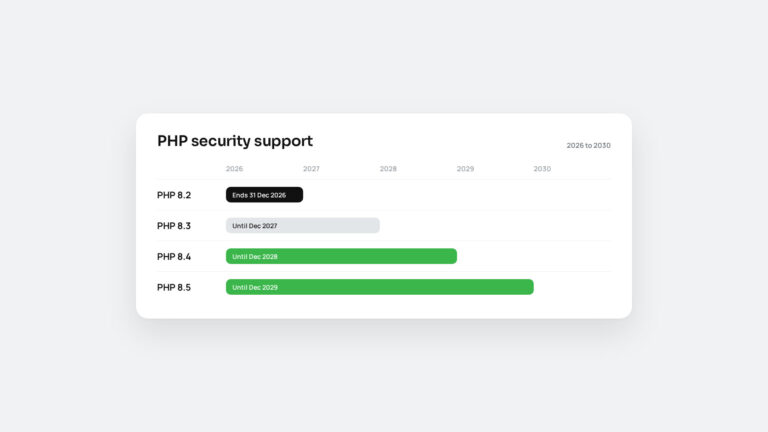
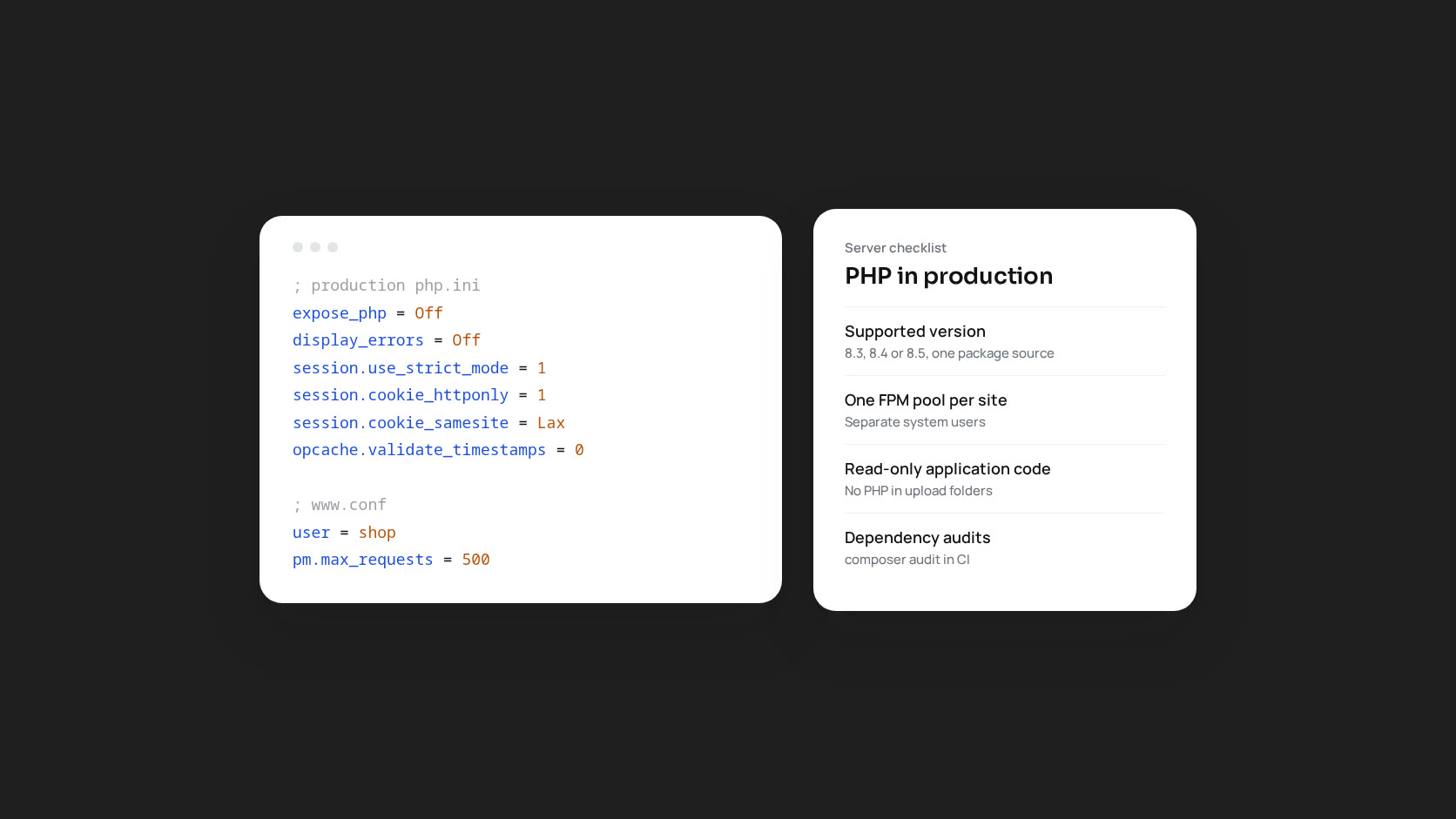
As of late 2026 that means PHP 8.3, 8.4 or 8.5. PHP 8.2 stops receiving security fixes on 31 December. Install PHP from a single package source (your distribution or one well-maintained repository) and pin it, so that core packages and extensions always come from the same place and an update cannot mix builds.
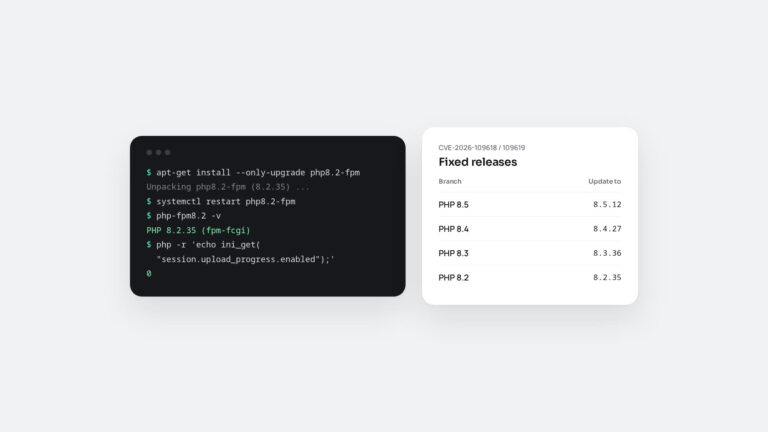
Subscribe to the security announcements for that source. When the next emergency release comes, you want to hear about it from your package vendor, not from a customer.
2. Turn off what production does not need
; production php.ini
expose_php = Off
display_errors = Off
display_startup_errors = Off
log_errors = On
allow_url_include = Off
session.upload_progress.enabled = 0
expose_php stops PHP from advertising its exact version in response headers, which saves attackers a step. Error display must be off on production: a stack trace on a public page can expose file paths, queries and sometimes credentials. Upload progress tracking is rarely used and was the subject of a PHP advisory in October 2026.
3. Harden sessions
session.use_strict_mode = 1
session.cookie_httponly = 1
session.cookie_secure = 1
session.cookie_samesite = Lax
session.use_only_cookies = 1
PHP 8.6 makes the first three the default for new installations. Upgraded servers keep their old values, so set them explicitly. Strict mode stops PHP from accepting session IDs it did not create, which blocks session fixation. HttpOnly keeps the cookie away from JavaScript, so a cross-site scripting bug cannot simply read it.
4. One PHP-FPM pool per site, one user per pool
If three sites share a server and a PHP-FPM pool, a vulnerability in any of them gives access to all three. Give each site its own pool running as its own system user:
[shop]
user = shop
group = shop
listen = /run/php/shop.sock
listen.owner = www-data
pm = dynamic
pm.max_children = 20
pm.max_requests = 500
Setting pm.max_requests recycles worker processes regularly, which limits memory leaks and the lifetime of any state left behind in a worker. Separate pools also mean one busy site cannot take all the workers from the others.
5. The web server user should not be able to write code
This one change limits the damage of most remote code execution bugs. Application code should be owned by a deploy user and only readable by PHP. Writable directories (uploads, cache, logs) should be the exception, and PHP should never execute files from them.
# nginx: never run PHP from upload directories
location ~* ^/(wp-content/uploads|pub/media)/.*\.php$ {
    deny all;
}
Magento and WordPress both need some writable paths, but far fewer than most installations allow. If an attacker can run code but cannot write it anywhere that will be executed, they have far fewer ways to stay on the server.
6. Configure OPcache for production
opcache.enable = 1
opcache.memory_consumption = 512
opcache.max_accelerated_files = 100000
opcache.validate_timestamps = 0
With validate_timestamps off, PHP never checks files for changes, which is faster and means a modified file does not run until PHP-FPM is reloaded. That makes deployments explicit: deploy, then reload. Make sure the cache is large enough. When OPcache fills up, PHP quietly falls back to compiling every file on every request, and the slowdown is easy to misdiagnose. Check opcache_get_status() after each deployment.
7. Keep dependencies honest
Run composer audit in your CI pipeline. It checks installed packages against known advisories and fails the build when it finds one. For WordPress, track plugin and theme vulnerabilities the same way. Remove packages and plugins you no longer use: unused code still runs, and still gets attacked.
8. Restrict network access in both directions
Inbound, only the web ports should be public. Databases, Redis, OpenSearch and admin tools belong on localhost or a private network. Outbound access is often forgotten: most backdoors need to contact a command server. If your application only talks to a known list of payment, shipping and email providers, a firewall that blocks everything else makes a compromise much harder to use.
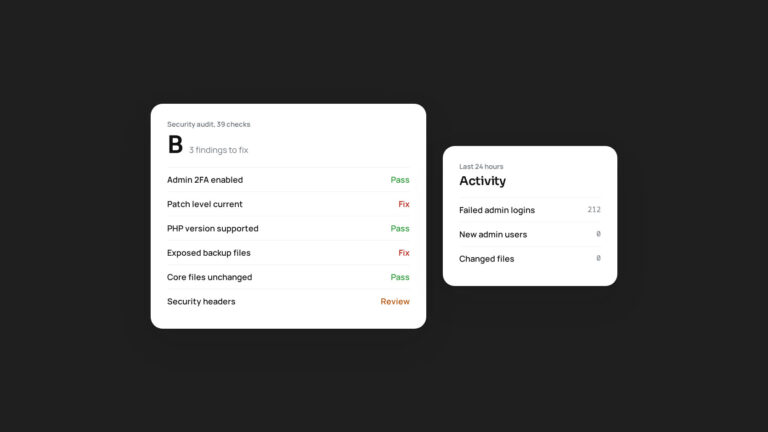
9. Watch for change, not just downtime
- Alert on new or modified PHP files outside of deployments.
- Alert on new admin users, API integrations and cron jobs.
- Review which external scripts your checkout and login pages load.
- Keep logs somewhere an attacker on the server cannot edit them.
10. Practise the boring parts
Every item above helps, but the habit that matters most is being able to update PHP, restart services and roll back without drama. Run through it on staging every quarter. When the next PHP2Shell arrives, the teams that had practised were done before lunch.
If you would like us to review a server against this checklist, tell us about your setup.